![[Translate to Englisch:]](/fileadmin/_processed_/9/8/csm_52842_e4b2924579.jpg "[Translate to Englisch:]")
Appointment scheduling
You can book an appointment for a study counselling session (on site, by video or telephone) here. You are welcome to contact us with any enquiry. Advice is particularly suitable for orientation, information on degree programmes and complex, organisational issues relating to studying.
Procedure
Please use our booking system to make an appointment:
Book an appointment
For a video consultation:
- After making an appointment, you will immediately receive a confirmation email.
- Shortly before the appointment, we will send you another e-mail with access data for the video conference. You may also receive this second e-mail shortly before the start of the appointment.
- Zhe video conference will take place at the agreed time.
For a telephone consultation:
- You will receive a confirmation email immediately after making an appointment.
- We will call you at the agreed time on the telephone number you have provided.
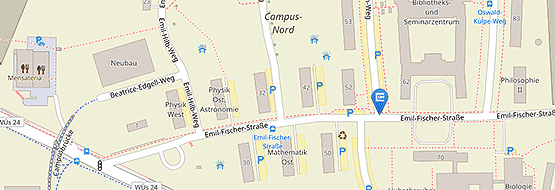
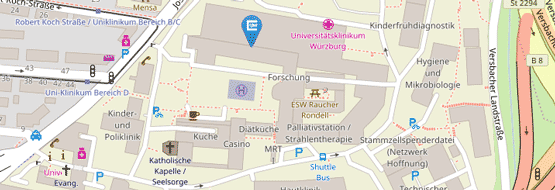
For a personal consultation on the North Campus (Josef-Martin-Weg 55):
You can also select on-site appointments in the booking system.
If you cannot find an appointment that suits you, please call our office (see under "Professionally Qualified"). We will endeavour to find a solution.
Professionally qualified:
Please make an appointment for a counselling session for those with vocational qualifications by telephone:
Contact: Annerose Sattler
Telephone number: 0931/31-82914
Times for making appointments: Mon, Tue, Thu and Fri 9 am - 2 pm. Wed 11-14 o'clock.
Please have your e-mail address ready.
Cancellation of a consultation appointment
If you are unable to attend a consultation appointment, you can cancel it yourself. There is a corresponding link in the confirmation e-mail. Alternatively, please reply to the e-mail or give us a call (0931/31-82914). If you would like an alternative appointment, simply book another appointment.
Technical requirements for video consultations
We use DFNconf or Zoom for video consultations.
- Hardware:
PC/laptop or smartphone, each with camera - Software:
- When connecting to the call via PC or laptop
Browser: Google Chrome recommended - Mobile access via smartphone
- For consultations via DFNconf: Prerequisite is the pre-installed app "Pexip Infinity Connect" - Android: Google Play - iOS: App Store. Instructions for using the Pexip app can be found here as a pdf download, instructions for use via the browser can be found here as a pdf download.
- For consultations via Zoom: The pre-installed app "Zoom Cloud Meetings" is required - Android: Google Play - iOS: App Store
- When connecting to the call via PC or laptop
Data protection and confidentiality
The counselling session is of course strictly confidential and will not be recorded.
Information on the processing of your personal data during video consultations via Zoom: https://go.uniwue.de/zoom-privacy - via DFNconf: https://www.conf.dfn.de/datenschutz